Thursday, May 23, 2013

App Review: Syllables Splash!

I've yet to meet a Smarty Ears app that I don't like.  So when they asked me to review their latest app, Syllables Splash, I knew I'd love it!  Syllables Splash was created to teach the phonological awareness task of syllable segmentation.  You can use Syllables Splash individually, or in groups (up to 4 players).  This app is even aligned with the common core!  (See the Phonological Awareness section of the CCSS HERE).


Getting Started:

From the main screen (above), you can tap "Support" to read about the app, watch a video tutorial, contact Smarty Ears support, and Back-Up/Restore from iTunes.  You can also tap "Quick Play" to begin playing without gathering specific student information.  

To collect data, you must first "Select Player."  You will be prompted to add a player's name and photo or avatar.  


You can modify settings from the "Select Player" screen as well.  You can choose from the following options:

  • When wrong:  Eliminate an incorrect response, or hear a buzzing noise.   
  • Number of wrong options:  You can choose to have 1, 2, or 3 foils.
  • Increase Level if Successful:  You can opt to have the level of difficulty increase or remain the same when a student gets a correct response.
  • Include words with:  You can opt to have words with 1, 2, 3, and/or 4 syllables.  You can select as many or as few options as you wish.
  • Fish & Shark Animation:  When you have this option turned on, fish will swim across the screen as you play.  In addition, if you choose "eliminate" an incorrect response and have this option selected, a shark will enter from the right and chomp the incorrect response.  


Once you have selected your players and settings, you are ready to start.  Essentially, the student will see a picture and hear a word.  Then they will select the number of syllables they think are in the word.  The numbers will appear in random orders.  If there's a way to have the numbers stay in sequential order, I haven't figured that out yet.


You can tap the "rotate" circle above the picture to view the printed word.


Again, if you have "eliminate" and "animations" selected and you are incorrect, the shark comes out to chomp the incorrect answer.  


Do you see the starfish that says "Help"?  If you tap that, a turtle will appear and clap out the syllables for you.


When you are done, your session data will be saved into reports (unless you are using the Quick Play option).  You can also export your data to Therapy Report Center (Free in iTunes).


Here's what I like:

  • First of all, I love the theme and animation!  It's perfect for this time of year, but kids will love it year-round!
  • Alignment with the Common Core Standards.  If your state hasn't been hit with CCSS yet, it will be soon!  
  • Syllable segmentation is an important skill, not only for reading, but for articulation and phonology as well.
  • Syllables Splash was designed for the purpose of identifying the number of syllables in a given word.  However, I have many students on my caseload this year who are working on sound sequencing in multi-syllabic words.  I was able to select 3 and 4 syllable words and have students say the words (using syllable tapping technique) and then select the number of syllables as well.
  • Compatibility with TRC (the more I use it, the more I love it)!
Changes I would make:
  • First, since I used this apps with kids working on articulation skills, I would love a record feature.
  • The numbers that you select from appear in random order (and they change position from one word to the next).  This may not be an issue for many kids, but for those who have difficulty with impulse control and/or recognizing numbers, this could be a disadvantage. 
  • The only other "concern" I had is partially based on dialectical considerations.  There were two words that I came across that I questioned the "correct" response.  The first is chocolate cake.  The voice over pronounced the word as "chalk-lit cake."  This is also how I would pronounce it, but the correct response was "4-syllables."  I would say it (and I perceived it being said) with three syllables, not four.  The other word sparked a heated debate in our staff lunchroom one day!  The word was "campfire."  The correct response on the app was 2 syllables.  I say it with three ("camp fai-yer") and I believe the voice over did as well.  Here was the debate in our lunchroom...Some of the classroom teachers said that, since "fire" has one vowel, it has one syllable.  Phonetically speaking, there is the dipthong ("ai") and many dialects add the "Y" sound before the /er/.  


The Bottom Line:
Overall, Syllables Splash is a great addition for anyone who works on syllable segmentation, phonological awareness, weak syllable deletion, and/or sound sequencing within multi-syllable words.  The underwater theme is adorable and super motivating for my students!  Just a warning: you may have students select incorrect answers on purpose so that they can see the shark!

Syllables Splash sells for $9.99 in iTunes.

Do you work on phonological awareness skills?  Which aspect of phonological awareness do you target most often?


PS, Out of curiosity, how many syllables do you use when you say "camp fire" and "chocolate cake"?

Monday, May 20, 2013

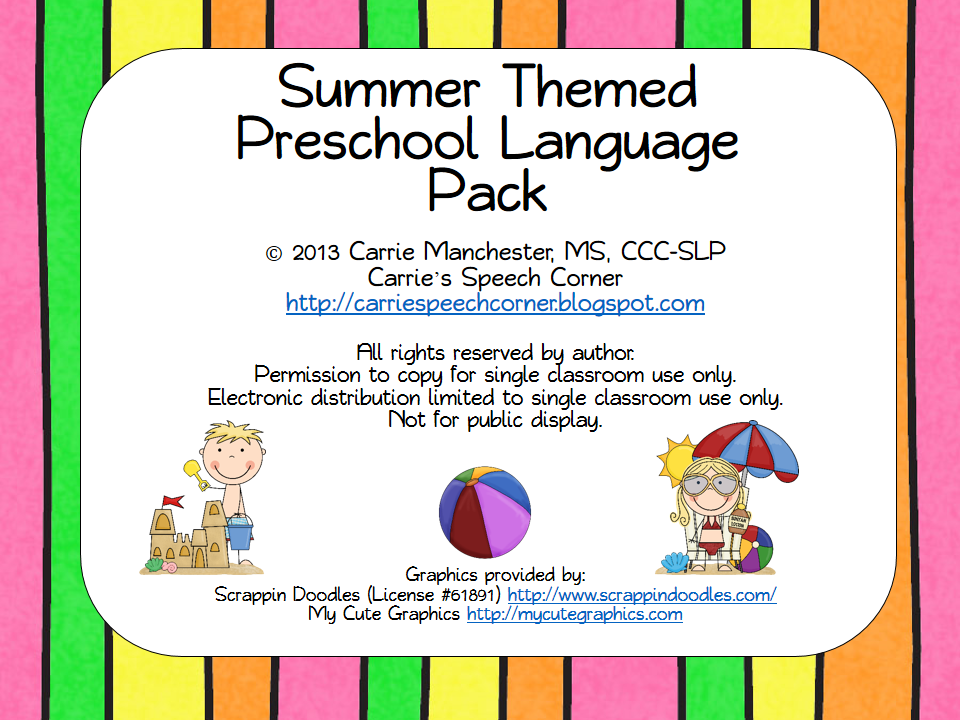
Summer Themed Preschool Language Pack

I've been seeing lots of SLPs across the country posting their countdowns on Facebook.  "___ days left of school!"  My district starts AFTER Labor Day and, instead of one week off in March, we get two weeks off (one in February, one in April).  Add to that the number of days we've had to take (Hurricane Sandy, the Blizzard, etc.) and I will literally be in school until the end of June.  But, like the rest of you, I'm counting down the days until my summer vacation.  So, I was very inspired by some clip art I got from Scrappin' Doodles to create a new packet!


This packet targets the most common speech and language objectives I work on with my preschool-aged students.  Here's what you get:

Subjective Pronouns (6 pages).  Students will describe pictures using the words “he,” “she,” and “they.”


Yes/No Questions (4 pages).  Students will answer yes/no questions about the pictures.


Possessive Pronouns & Is/Are Verbs (2 pages).  Students take turns giving small tiles (20 total) to the boy and girl and completing the sentences (e.g., “The dog is his” or “The glasses are hers.”)


WHO Questions (3 pages).  Students will answer the questions about the children in the pictures.


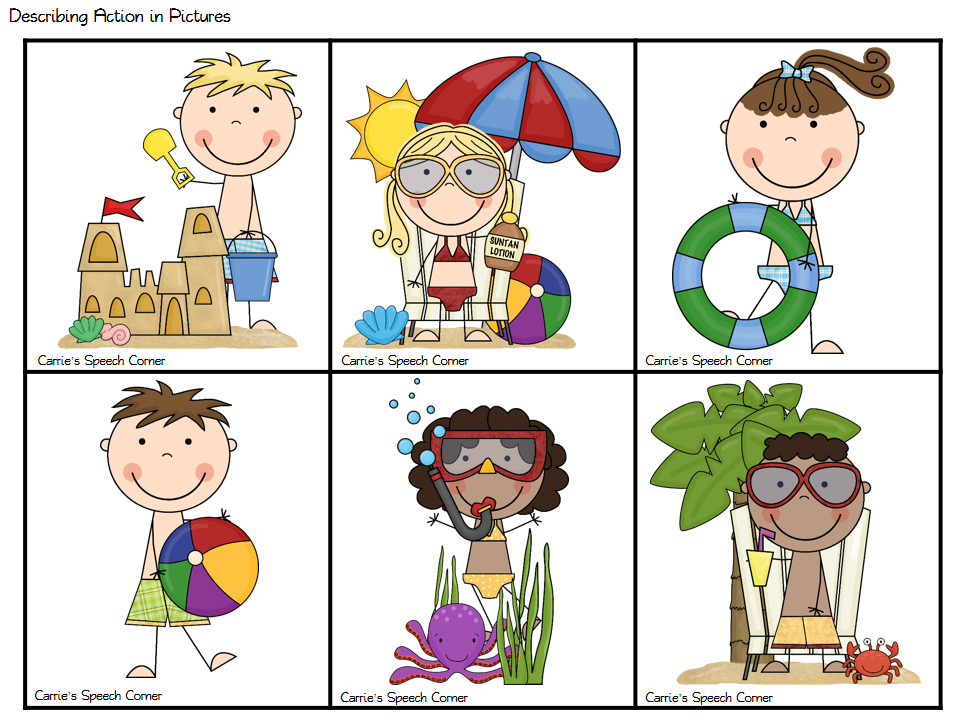
Describing Action in Pictures (2 pages).  Students will describe the pictures using verb +ing and S-V-O formats.


Plurals (2 pages).  Students will use the correct plural form to describe the pictures.


WHERE Questions / Prepositions (4 pages).  Students will use prepositions to answer WHERE questions.


Game Board (1 page).  You can use the game board on its own or in conjunction with the activities in this packet.


And there you have my "Summer Themed Preschool Language Pack!"  You can access this product in my TPT store HERE.  I'm giving away 3 copies!  You can enter to win using the rafflecopter below!


Wednesday, May 15, 2013

App Review & Giveaway: Articulate It!

Hello, Friends!  Today I'm going to be sharing another great app from Smarty Ears -- Articulate It! This app was created by a certified SLP and, as you can probably guess by the name, is designed to target articulation (and phonology) skills. :)


With most of Smarty Ears's apps, you can jump right in to "Quick Play" mode, or Add/Select Players to enable data collection features.  In either mode, you can select your target by a variety of methods...


You can select the target phoneme and then word position...


You can select a specific phonological process:


You can select targets by Manner of Articulation:


And finally, you can chose targets by the number of syllables:


Once you have selected your targets, you can view and modify the word list by removing words that may not be appropriate for your student.


Articulate It! Uses photographs of real objects/people in a notebook style layout.  If your student needs a model of the target, simply tap the picture!  Notice the tabs beneath the picture?  You can easily toggle between targeting words, phrases, and sentences:

Words:  Fast

Phrases:  The fast runner

Sentences:  Jimmy ran fast.
You can add notes to your sessions by tapping the "Note" circle from the menu...


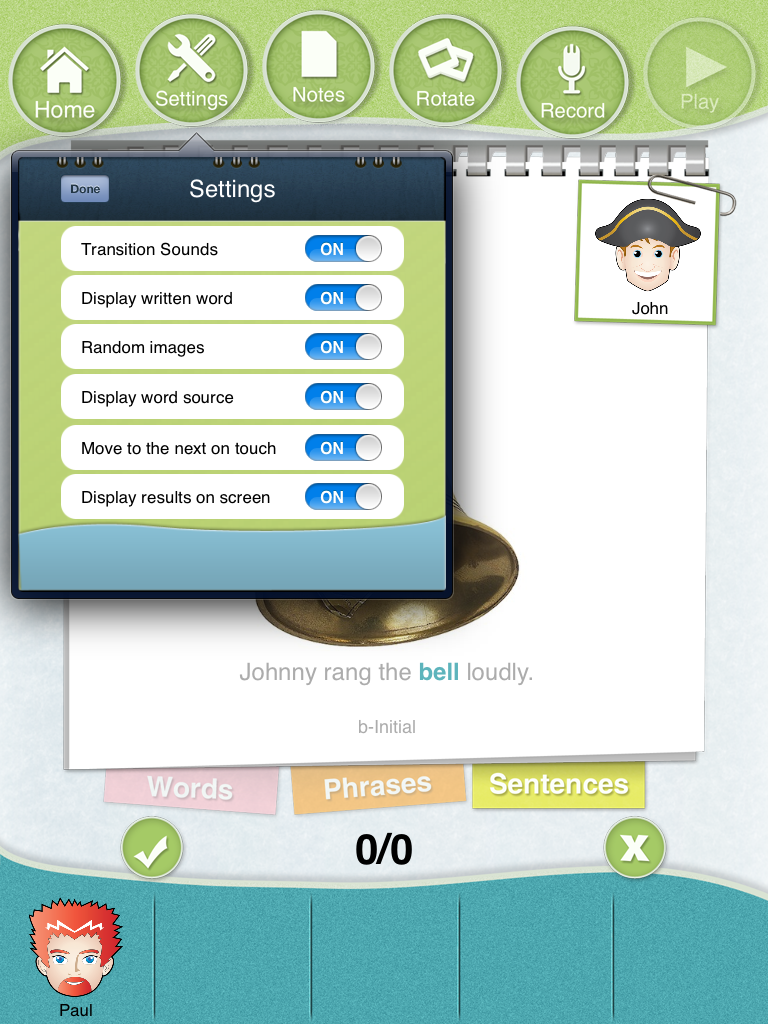
You also have the option of modifying the settings directly from the home screen, or anytime during game play by tapping the "Settings" icon from the menu.  This is a nice feature because, with many apps, you need to terminate a session to change any of the settings.


Some other settings of note...you can easily record a child's production of a target sound by tapping the "record" button."  Also,  you can rotate the image on the screen.  This is a GREAT feature when working with groups!  You can leave your iPad in the center of the table and just tap the "rotate" button so that the image faces the correct student!  Notice how the icons to mark correct/incorrect responses remains stationary while just the target image and words rotate?


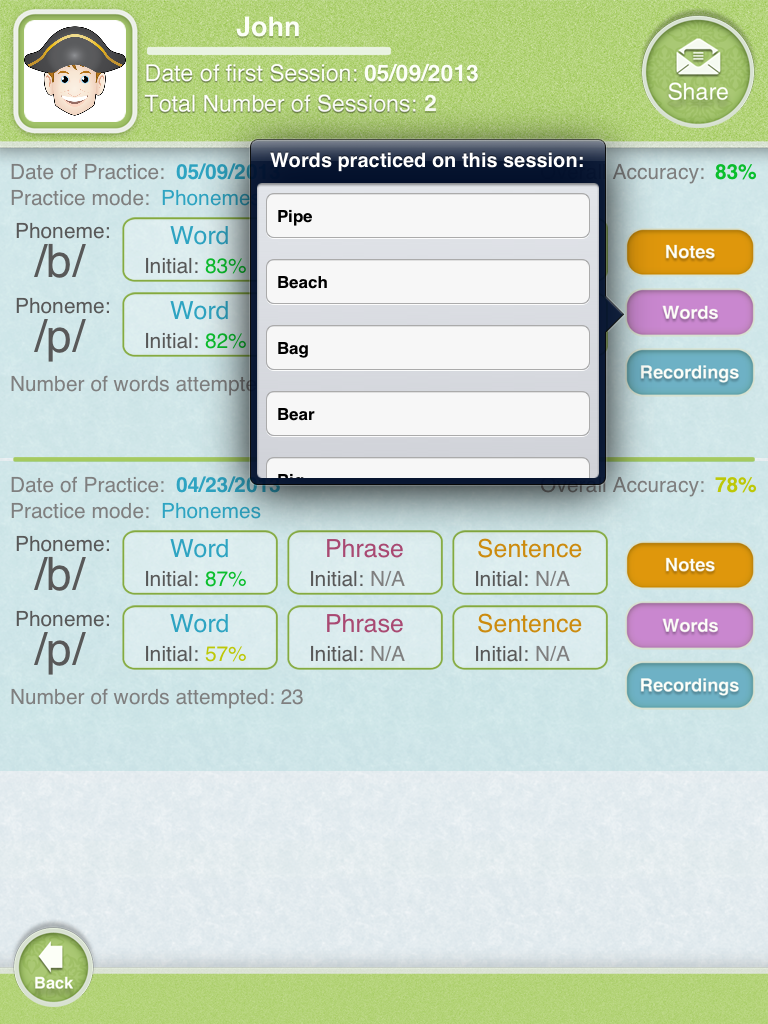
Once you are finished, you can tap the "home" button (you will be prompted to select whether or not you truly intended to terminate the session).  Your data will automatically be tallied and stored.  You can view not only data from your current session, but from previous sessions as well:


You can access your notes by tapping the orange "notes" button on the right and see which words were used during the session by tapping the purple "words" button.


You can also access recording by tapping the blue "recordings" button.  This is great for comparing a child's production after a few sessions!


And there you have Articulate It!

What I like the most:

  • The variety!  You can quite easily target both articulation (single sound target) and phonology (phonological process target) in the same group/session!  Also, you have the ability to choose targets by the number of syllables.  I have so many kids this year who are working on sound sequencing within multi-syllable words and this is a great feature for me!
  • The ability to work at the word level, phrase level, and sentence level within one app and without changing the settings is AMAZING!  (I've seen other apps where you can target word/sentence level, but you need to make that decision when you are initially setting up your session.)
  • Utilizing real life photographs is always a plus in my opinion!  
  • The sheer quantity of stimulus items...individual sounds, manner of articulation, phonological processes, number of syllables in a word.  Plus you have the ability to increase the complexity by easily switching from word to phrase to sentence level.  If you're an SLP who travels, you will definitely want to add this app to your arsenal! 
  • The data collection feature is great!  I absolutely love that Articulate It! saves your recordings!  This is extremely helpful if you want to monitor progress after a few sessions working on a sound/process.
  • I love that you can rotate the image to face the student rather than turning the whole iPad.  When you work with little kids, you want to minimize moving the iPad as much as possible!!!
  • Compatibility with Therapy Report Center (TRC).  This is a great FREE app by Smarty Ears that allows you to keep all of your data (from Smarty Ears apps) in one convenient location!  

The Bottom Line:
I usually include some changes I would like to see in an update, but I can't really think of any for this app.  It is great for drill work (there isn't a game component), which is a necessary part of articulation/phonological treatment.  This app allows you to work on so many different targets and to easily switch between complexity levels.  Articulate It! is definitely a must for SLPs, especially those who travel!

Do you use this app?  What do you think of Articulate It?


Disclaimer:  Smarty Ears provided a copy of Articulate It! for the purpose of this app review and giveaway.  However, the opinions expressed in this review are mine alone.  Articulate It! sells for $38.99 in iTunes.

a Rafflecopter giveaway

Tuesday, May 14, 2013

Life Cycle of a Frog


One of my classrooms has been learning about the life cycles recently.  They're learning about caterpillars and butterflies, eggs and chicks, and tadpoles and frogs.  So, when I found this adorable clip art from Kari Bolt on TPT, I knew I had to create something for them!


By the way, they actually have a real tadpole in their classroom!

Tadpole

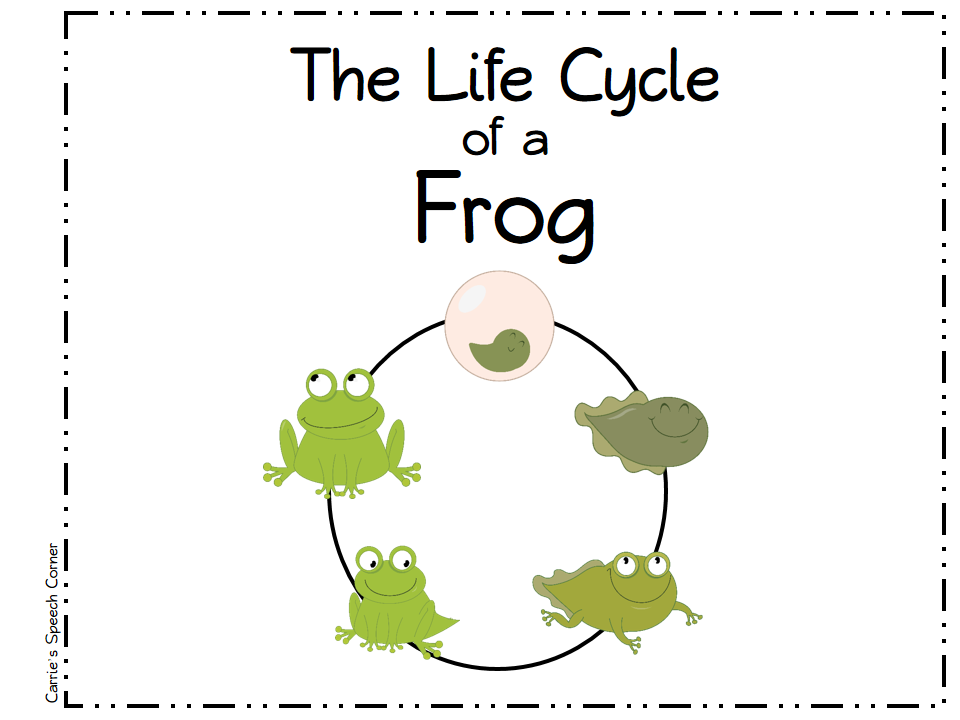
I decided to create a simple book outlining the Life Cycle of a Frog.  This is a full-color 6 page (full pages) book that describes the sequence of a Frog's Life Cycle:


Here's what the title page looks like:


So the kids would be able to have something to take home and share what they are learning with their families, I also created a mini-booklet.  This mini-booklet is identical to the large one, but on half-pages and in black and white.  This makes it easier for you to photocopy!  Also, I set up the pages so that you could make one cut, staple, and go (no sorting the pages!):

Cut w/ my handy-dandy paper slicer!

Finished mini-booklet

Here's a sample page from the mini-booklet:


You can download this freebie HERE.  Please leave me a comment or feedback if you do!  Do you teach life cycles with your students?  What's your favorite life cycle to teach?


Monday, May 13, 2013

Don't Throw it Away! Milk Bottle Caps

I've been saving the caps from my milk bottles for a while because I wanted to make those cute ladybugs that are all over Pinterest.  Well, I tried and had a Pinterest FAIL!  Basically, I tried drawing the dots on with a Sharpie, but the color didn't stick.  So, what to do with a whole bag full of milk bottle caps?

Make a therapy activity!

First, you'll want to wash your milk caps and let them dry.  Gather the amount you want - the number doesn't really matter.  More caps = longer activity, less = shorter activity!  You'll also want some circle stickers.  I used the kind used for labeling prices at yard sales.


I wrote the numbers 1, 2, and 3 on each...


Place one sticker on the underside of each cap and you're ready to play!  You can use this simple game as an open ended reinforcer for just about any target.  Once a student completes targets, they can turn over a cap.  They get the number of points indicated on the sticker.


The student with the most points at the end of the game is the winner!

If your kids aren't fans of "point" activities, there are other variations you could use.  You could hide one "target" (Dora, Spongebob, a star, etc.) and the person who finds the target is the winner.  You could also play similar to "Lids & Lizards" by Super Duper - place stickers under only some of the caps.  The student who found the most stickers at the end of the game is the winner.

There are some other cute ideas for using milk bottle caps on Pinterest.  Here are a few:

  1. Alphabet Stamps
  2. Hungry Caterpillar Activity
  3. Counting Game
  4. Magnet Boats
  5. Word Families Activity
Do you re-use milk bottle caps?  What are you using them to do?


Related Posts Plugin for WordPress, Blogger...