Showing posts with label categories. Show all posts

Monday, June 16, 2014

Bubble Categories

Disclaimer: This post contains affiliate links to Amazon.com for your convenience.

Hey Everyone!

Time for my monthly (or so) check-in. ;)  Boy have I been busy with Jamberry work and end of the school year goings-on, but I wanted to share some fun books and another activity for those of you who are still in school or working summer school!

Summer is a great time to play with Bubbles!  I found these adorable books on Amazon and I've been using them in some of my sessions:


I've noticed that my students this year have really struggled with categories - especially naming a category when given members of the category. So, I developed this activity.


There are bubble wand cards that each have 3 category members each:


Then there are bubble container cards with a category name:


There are a few different ways you can use this activity.

  1. First, you can use the bubble wand cards separately. Shuffle and have students draw a card. They can read the three members and try to come up with the category.
  2. You could also use the bubble container cards separately. Shuffle and have students draw a card. They can read the category name and try to name a specified number of members.
  3. Another way to use the bubble container cards would be to divide students into teams.  One card is drawn and teams take turns naming a member of the category until one team can no longer think of a member. Once that happens, the other team gets the point.
  4. Use both sets of cards together, mix them up and play a Memory Game.


There is also a game board to increase motivation during your sessions:


My kids love bubbles and I've been using actual bubbles as a reinforcement for this activity.  You can download for FREE in my TPT store! As always, please leave feedback if you download! :)


Wednesday, September 25, 2013

Introducing the EET (Expanding Expression Tool)

I'm guessing that you've heard of the EET before (Expanding Expression Tool). I first saw the EET described in a catalog from Northern Speech Services and thought "This looks cool!"  I couldn't imagine that it would be appropriate for my caseload that is largely (maybe 90%!) preschool.  Still, I kept coming back to it...reading reviews from other bloggers, checking out materials developed by other bloggers to use with the EET, and checking out the EET website itself.

If you haven't done this yet, head over to the EET website and watch some of the videos. I couldn't believe the four year old little girl! I thought, if she can do it, my kids can do it!  I finally broke down and bought my own kit.


I was so excited to get the EET, you'd think I was a kid on Christmas! I ended up ordering the kit, some small student strands, and the EETCHY steppers.

I started using the EET in therapy this week (yes, with preschoolers!) and I wanted to share with you.  I "introduced" my students to the large EET strand and drew their attention to the different parts of the strand.  We paid particular attention to the head, which is green. The manual and poster will tell you that GREEN=GROUP.  Many of my kids weren't sure how to define "group," but they were able to make groups!  I gathered some items and put them in a "mystery bag."  (I recently bought some new sheets and they came in a bag that is made of the sheet material and has a flap with velcro closure at the top. We used that).  Then I gave them baskets and I placed an item into each basket and told them they would make groups.  Some of the kids needed some supports and assistance, but most were able to sort the objects into groups:


We had the food group, the crayon group (aka the "colors" group), the animal group, the block group, and the dishes group.  I know some of these aren't "real" groups, but the activity helped the kids understand the concept!

My plan is to introduce the strand one ball at a time.  As we go, I'm going to create a caterpillar on the wall.  This pin was my inspiration, but I don't think I'm going to get that fancy.


Overall, the kids seemed to enjoy the activity and the "caterpillar"!  I'm hoping they will continue to have fun with this and expand their language at the same time!  If you're looking for more EET ideas, I've started an EET board on Pinterest.


I would love to know...I've heard people call the EET strand a caterpillar and a worm, but do you have a special NAME for it?

Update: Since writing this post, I've added a product to my TPT store that targets the first three beads of the strand. You can find that HERE.

Tuesday, September 24, 2013

Book of the Week: I Like Myself!

Disclaimer:  This post contains affiliate links to Amazon.com for your convenience.

Wow! I feel like it's been such a long time since I've written a book of the week post!  I brought home some books to write about over the summer and somehow never got motivated enough to do anything with them.  I guess I needed some time off from more than just work over the summer!

I just finished up my first full week of therapy and this year I'm so excited about a new project that will be happening at my school!  I'm teaming up with a super-fabulous OT and wonderful special educator to run a group in a substantially separate preschool classroom!  We are following the themes that our preschool curriculum uses (the theme for September is "All About Me").  Also, we are going to center our lessons each week around a story and this is the first book we used:


"I Like Myself!" by Karen Beaumont is a fun story that celebrates our differences - all the things that make us unique!  The illustrations are great and the kids wanted to comment on each page of the story!  So for our follow-up activities, we wanted to celebrate the things that make our students unique!

First, the students made "Paper Bag Back Packs" similar to these.  Here's our sample:


The children took them home and were asked to find something to put in the bag that represents themselves and bring it back to school for show-and-tell.  My son actually had the same assignment in his preschool class (not the back-pack craft, just the bag with a poem on it...which still was cute!)  So, for example, he put in the following items:

  • Foam #4 from a puzzle - "I am 4 years old"
  • Thomas the Train:  "Thomas is my favorite toy"
  • A small book:  "I love to read"
  • A small soccer ball:  "I play soccer"


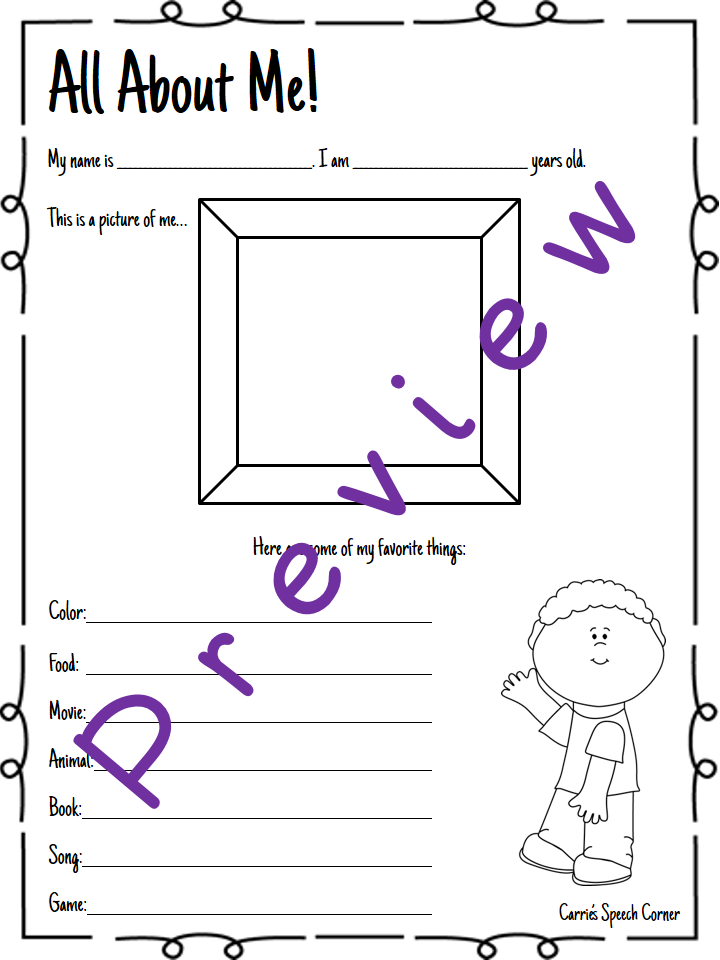
For the speech part of the activity, I wanted to look at the students' ability to provide personal information and to name a member of a given category.  I found a few "All About Me" fill-in the blank sheets, but decided to create my own.  Here's what it looks like:

(There's also a "girl" version)

You can either have the students draw a picture of themselves in the box, or take a picture and paste it in the box. Categories targeted include: color, food, movie, book, animal, song, and game. (BTW, my favorite response of the week went something like this: "What's your favorite color?" Yellow. "What's your favorite food?" Yellow. Can you relate???). You can download the "All About Me" sheets HERE.  

What are your favorite "All About Me" activities?

Tuesday, May 28, 2013

App Review and Giveaway: Kangaroo Island Photo Classifying

Recently I was contacted by the good folks at Super Duper, Inc. about reviewing one of their new apps, Kangaroo Island Photo Classifying.  I have a few of the Super Duper Fun Deck apps, but this app is different as it is more interactive, and I was very excited to give it a try!

Getting Started:

This is the home screen of the app:


As you can see, there are six different activities included in the app:
  • Class-a-Roo
  • Picking Parrot
  • Skink Ball
  • Turtle River
  • Koala Canvas
  • Seal Search

If you tap on the lighthouse, you can see a list of the categories that this app offers, as well as all of the individual members of those categories.  This is especially helpful if you wish to pre-teach members of a given category.


There are three icons along the bottom of the home screen as well.  Tapping the first, the "Share" icon, will allow you to email Super Duper and view their Facebook and Twitter pages.  Tapping the center "Thumb up" button, will allow you to report a bug, review the app, or make a suggestion to the app developers.  Finally, tapping the "i" or "information" button, will show you a description of Kangaroo Island (see below).


Playing the Games:

To collect data, you must first add a player.  Also, it should be noted that only one player can play at a time.  To add a player, tap the Tiki labeled "Player."  Next, tap "add player."  You can enter the player's name and select the categories you wish to target.  It should be noted that, although you are able to choose more than five categories, no more than five will be used during any given game activity.  You can also choose to use pictures or text for the category items, and whether or not you want the app to say the category and item names.


This "Player screen" is where you can view data from previous sessions.  As you can see, I entered a player named "Any" to be used with groups of students and for students who may not use the app frequently.  I figured that this way, I could jot down the accuracy level on paper rather than store the data in-app.  Under the graph, you can see the different animal pictures.  If you tap a specific picture (e.g., the kangaroo), you can see data for that specific activity only (e.g., "Class-a-roo").  Tapping the last icon will show combined data for all the different activities.  You can also email or print your data ("share" and "print" icons just above the graph).


Once you've set up your students, you're ready to play the games.  Here's a breakdown:

Class-a-Roo:

In this activity, the student is prompted to help Sally the Kangaroo find her friends by choosing the correct item and placing it in her pouch.  Sally hops across the screen and a thought bubble appears with the target category.  Players then have to choose the correct coconut and either tap it or drag it to her pouch.  If incorrect, the coconut will rise up off of the screen.


After a predetermined number of correct responses, Sally will meet a different friend:


Picking Parrot:

In this activity, the student is told that Paul the Parrot is hungry and they can feed him a snack after sorting the items into categories.  The categories are marked on the sand and the students sort the category items (circles) by dragging and dropping to the correct location. If incorrect, the circle returns to the top line-up.


After a student has sorted 2 items into each category, they are able to feed a snack to Paul:


Skink Ball:

Where I live, we call this game Skee Ball.  Regardless of the name, the kids love this one!  Basically, the little skink (I looked it up, a skink is a type of lizard!) holds a ball for you to roll down the correct lane.  When correct, the lane lights up.  When incorrect a buzzer sounds.


After a while, the student will earn a ticket from the machine:


Then they trade in their ticket for a toy on the shelf!  From what I've experienced, the more correct items you get, the more toy options you have.


Seal Search:

For this activity, the student is prompted to find Cindy the Seal by choosing an item that does not belong with the others.  In this example, "pizza" would be the correct response because it is not a color like the others.  If the student is correct, the puzzle piece will remove to reveal a portion of the background.  If incorrect, the items in the circles fade and the puzzle piece remains.


When a student gets all four correct, they find the seal!  The backgrounds will change for subsequent trials.


What I love about this game is that you can easily include targets such as:  describing pictures, using prepositions (on the beach, under the water), answering WHERE questions, etc.

Koala Canvas:


In this activity, students can paint a picture with Cole the Koala.  First, they will need to choose a picture an a color palette.


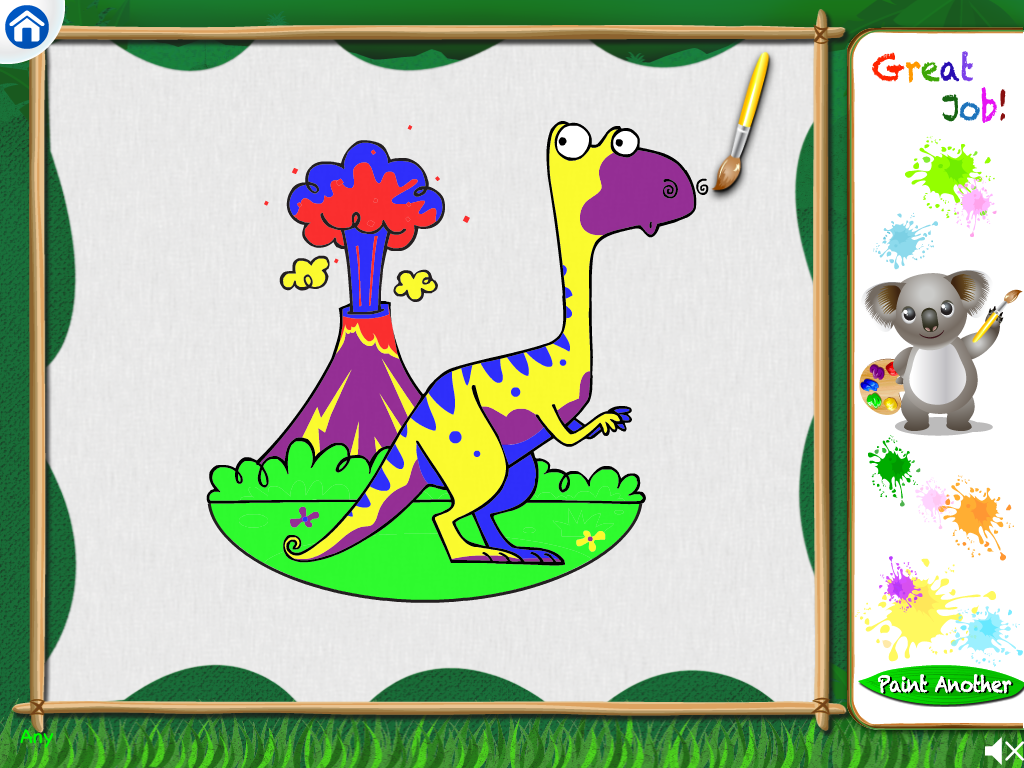
Next, they dip the paintbrush into a color (category) and tap an item that belongs to that category.  As they tap items, portions of the picture are colored.  You do need to return the paintbrush to the paint each time you tap an item.  For example, you cannot tap "colors" then bring your brush to both "orange" and "blue."  If a student is incorrect, they are told why they are incorrect (e.g., "Cow goes with animals.").


Here's the finished picture:


Turtle River:

For this activity, the student is told that the turtles need help finding their home and that students should place the turtles on the correct island.  The turtles swim between the islands and, although they move at an acceptable speed for many people using this app, I found that they were a bit too fast for some of my students.  If a student is correct, the turtle will go to the island.  If incorrect, they hear "Ooops, try again" while the turtle returns to the water.


After the student finishes, an animated turtle is seen walking on the island toward a cluster of eggs, one of which hatches.


What I like about this app:

  • The variety of games.  With this game you get six different activities, all targeting classification/categorization.  I also like that in Seal Search, category exclusion is targeted.
  • The graphics and animations make this game motivating and entertaining to students.
  • The amount/content of categories included.  I like that this app includes academic categories (e.g., upper case letters, lower case letters, numbers, etc.).  We often see students who have difficulty recognizing the difference between letters/numbers and this would be a great app to reinforce that concept.
  • The ability to target inclusion/exclusion within the same app.
  • There is a large number of items within the given categories.
  • I also love the interactive element.  This app plays like a game, which is always more motivating to students than apps that do not have a game-play component.  

Changes I would like to see in an update:


  • I would love to be able to play with more than one player at a time.  I don't think this is a real "negative" as far as playing the game.  I created a profile to be used only for groups.  However, when you are playing with a group, you can't effectively use the data collection features.
  • Again, for some of my students, the turtles in "Turtle River" moved a bit too quickly.  I would love to see an added setting with maybe 2 or 3 speed options.

The Bottom Line:
No doubt Super Duper is your go-to location for speech-language therapy materials "hard goods."  I was excited when they branched out into the app world with their Fun Deck apps.  Now, Super Duper has really hit the ball out of the park with the addition of more interactive apps, Kangaroo Island Photo Classifying included.  This app has been frequently requested since I added it to my therapy sessions.  It makes working on category inclusion and exclusion more fun and interesting.  If you find yourself working on classifying/categorization, then this app is a must-have!

Kangaroo Island Photo Classifying is on sale for $9.99 (in iTunes) during the month of May for BHSM.  As of June 1, it returns to its regular price of $12.99.  However, Super Duper was kind enough to offer a code for me to give away to one lucky reader!  Enter to win using the Rafflecopter below.

Disclaimer:  Super Duper provided the codes for this app review and giveaway. However, the opinions expressed in this review are mine alone.


Monday, January 7, 2013

"Snowy Speech and Language Activities" A Guest Post on Home Sweet Speech Room

Do you all remember the AWESOME New Year's Receptive Language Packet Guest Post from Carissa at Home Sweet Speech Room?  (Thank you so much Carissa!)  I wanted to reciprocate and share one of my newest activities with the readers of Home Sweet Speech Room!  So, I wrote a guest post for her called "Snowy Speech and Language Activities."


This is a 25-page FREE download containing five different activities!  Want to download?  You'll have to head over to Home Sweet Speech Room and read the full post!


Friday, December 28, 2012

Feed the Penguin Companion Packs

So many of you downloaded my "Feed the Penguin: Bilabial Sounds" FREEBIE on TPT!!! (If you missed it, you can download it HERE).

Feed the Penguin: Bilabial Sounds

I read all of your comments on TPT and many of you were interested in other sounds and/or using the activity for other goal targets.  So, I created TWO new activities:

Feed the Penguin:  Articulation Pack


I left in the large penguin if you wish to have your students physically feed the fish to the penguins.  However, if you plan to use this activity with older children, they may not want to play that way.  Because of that, I included these penguin mats:


Print enough copies for each student to get a mat. As they say target words, they can place fish on their mats.  The student with the most fish at the end of the game is the winner.

This activity includes 7 sounds:  /l/ (initial and medial); /k/, /g/, /r/, /s/, /sh/ (initial, medial, and final); and voiceless /th/ (initial and final).  Each sound/position has nine fish with target words/pictures.  (The words are printed on the fish's tail).  Here are some examples:


And the complete word list:


You can find this packet HERE in my TPT store. 

Feed the Penguin:  Language Pack

Now for the Language edition.  In this packet, you also get the large penguin and the penguin mats.  There are four target areas included:

Associations:


Categories:


Verbs:


Activity Includes:  Present Tense, Present Progressive, Regular Past, & Irregular Past

 Antonyms:


You can find this activity HERE in my TPT store.

For those of you who are interested in purchasing BOTH items, I put them together in a bundle, offered at a special value price! Find the bundle HERE.  Also, don't forget about the New Year! New Materials! Sale January 2nd and 3rd. The individual packets will be on sale those days (20% off)!


Happy New Year!


Related Posts Plugin for WordPress, Blogger...